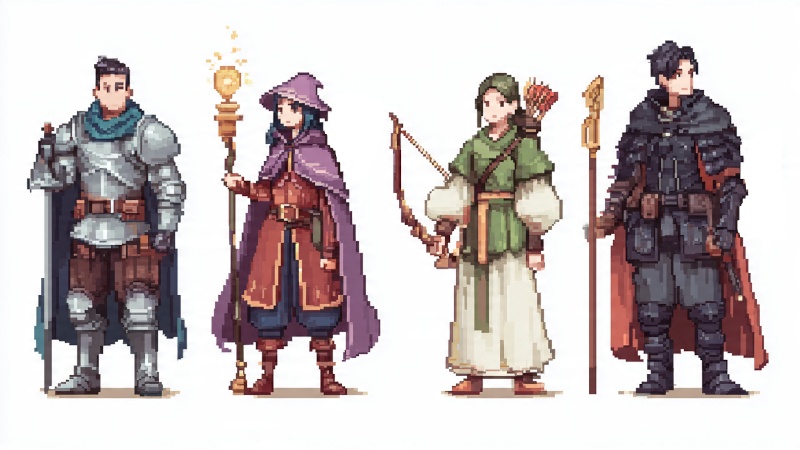
If you've ever typed "pixel knight" into an AI image generator and gotten back something that looks nothing like the SNES-era character sprites you had in mind, the problem isn't the tool. It's the prompt. Generating retro RPG character sprites with AI requires a specific structure that most people skip.
This article gives you 10 copy-paste prompts that follow a tested five-part formula for 16-bit pixel art character sprites. Each one covers a different RPG class, from knights and mages to necromancers and pirates. They work with ChatGPT, Gemini, Midjourney, DALL-E, Stable Diffusion, and most other AI image generators. Use them as-is, or follow the customization guide at the end to build your own.
The Five-Part Prompt Formula
Most AI generators default to photorealistic or painterly output. Without the right structure, asking for "pixel knight" gives you concept art rather than a game sprite. Every prompt in this article follows five components that fix that problem.
Art style and era anchor the visual output. "16-bit pixel art" tells the AI you want SNES-era detail (think Final Fantasy VI or Chrono Trigger), not chunky 8-bit NES sprites or modern HD art. This one detail controls color depth, resolution feel, and overall style more than anything else in the prompt.
Character description defines the subject. Class, armor type, weapon, clothing, and one or two distinguishing features go here. Specificity matters because the AI fills in gaps with random choices when you leave things vague.
Pose and frame set the character's action. "Idle standing pose" is the safest starting point. Action poses like "mid-attack swing" or "casting spell" work but get less consistent at low pixel counts.
Color palette keeps things authentic. Real SNES games ran within strict color limits. Including "limited color palette" or calling out specific colors ("red and gold", "earth tones") pushes the AI toward that retro feel.
Background should be plain white. AI generators don't produce true transparency, so a solid white background gives you the cleanest result to work with in post-processing.
The 10 Prompts
1. The Knight
Retro 16-bit pixel hero sprite, courageous knight clad in shining silver plate armor with a flowing blue cloak, SNES-style RPG aesthetic, lateral perspective, standing idle pose, restricted color palette, precise pixel work, plain white background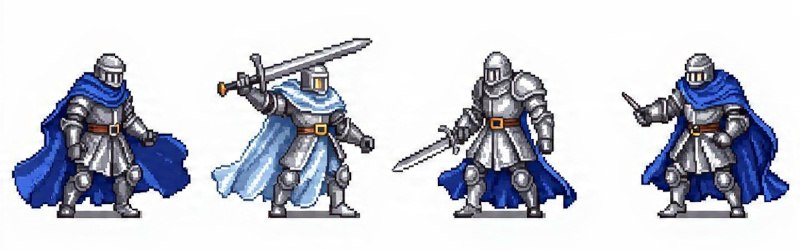
Silver armor and a blue cape is the classic paladin look from Final Fantasy IV and Tactics Ogre. Swap "blue cloak" for "red mantle" for a more aggressive variant.
2. The Mage
Old-school 16-bit pixel character, mystical wizard in deep purple robes carrying a luminous staff, Super Nintendo RPG visual style, profile angle, neutral standing keyframe, compact color range, tidy pixel arrangement, plain white backgroundThe "luminous staff" is the key detail here. Without a clear focal object, the AI often produces a generic robed figure with no personality. Try "crimson robes with golden runes" for a fire mage, or "ice-blue robes with a crystal staff" for a frost variant.
3. The Rogue
SNES-era 16-bit game sprite, sneaky rogue dressed in dark leather gear, wielding dual daggers, classic pixel art look, side-facing view, resting stance frame, minimal colors, sharp pixel detail, plain white background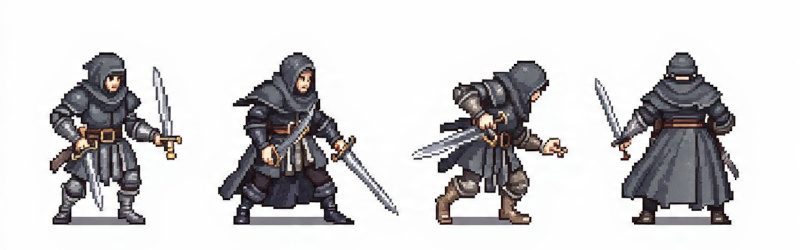
Dual daggers and dark leather separate the rogue from every other class visually. For a thief variant, swap "dark leather gear" with "hooded cloak and light leather vest". For an assassin, try "black bodysuit with a single curved blade".
4. The Archer
Pixel art hero sprite in retro 16-bit style, forest ranger wearing a green tunic holding a tall longbow, inspired by 90s console RPGs, side-facing view, neutral standing frame, few colors used, neat pixel grid, plain white backgroundThis prompt rarely misfires because the green tunic and longbow combination is such a strong visual signal. For a more armored ranger, swap "green tunic" with "brown leather armor with a quiver on the back".
5. The Healer
Classic 16-bit pixel character, divine cleric robed in white holding a gilded staff, Super Famicom RPG feel, profile angle, idle stance keyframe, compact color palette, tidy pixel arrangement, plain white background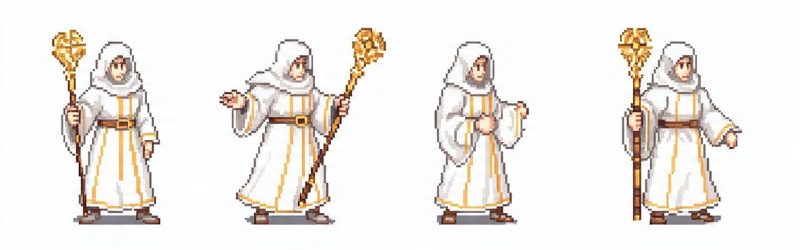
White robes read as "healer" immediately. To push this toward a battle priest, change the description to "white and gold-plated armor with a sacred mace". The shift from staff to mace completely changes the character's implied role.
6. The Dark Knight
16-bit retro game sprite, imposing dark knight clad in black spiked plate with a crimson cloak, reminiscent of SNES-era RPGs, side profile, standing idle pose, constrained palette, crisp pixels, plain white backgroundBlack spiked armor and a red cape give the AI a lot to work with in terms of contrast. This archetype generates well because it's heavily represented in training data. For a subtler villain, go with "obsidian armor with a tattered grey cloak" and drop the spikes.
7. The Samurai
Classic 16-bit pixel character art, noble samurai dressed in red and gold-plated armor gripping a katana, 90s Japanese RPG pixel aesthetic, lateral view, at-rest animation frame, select color palette, clean grid work, plain white background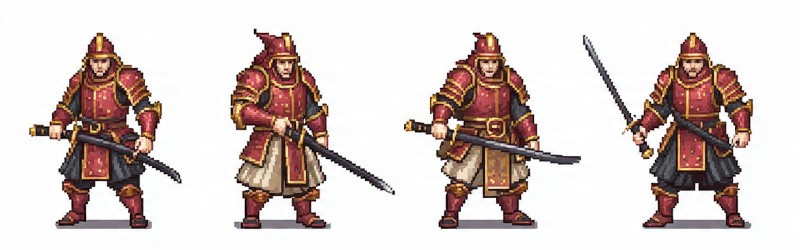
The katana is the defining element. Keep it in the prompt even if you change everything else. For a ronin variant: "weathered grey armor with a chipped katana and straw hat". That single swap takes the character from noble warrior to wandering outcast.
8. The Pirate
Retro pixel sprite 16-bit, weathered pirate captain in a ragged coat brandishing a cutlass and wearing a tricorn, SNES console game style, side-on perspective, default standing frame, limited tones, deliberate pixel placement, plain white backgroundPirates are rare in SNES RPGs, which makes this sprite feel fresh compared to the standard fantasy roster. The tricorn and cutlass carry the design. Add "eyepatch and a parrot on the shoulder" for full pirate mode, or "naval officer coat with gold trim" for a refined captain.
9. The Necromancer
16-bit game character pixel art, eerie necromancer draped in worn black robes holding a skull-crowned staff, Super Famicom RPG visual style, profile view, stationary pose frame, narrow color range, polished pixel layout, plain white background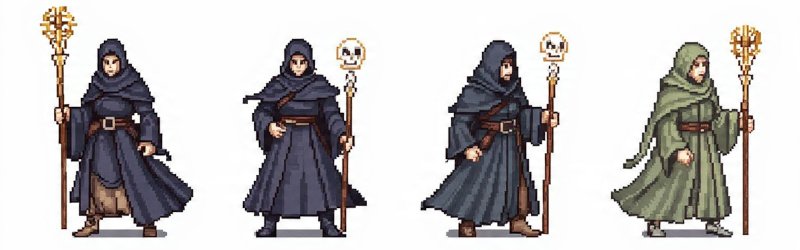
The skull-topped staff is what keeps this from collapsing into "generic dark mage". The "worn" descriptor on the robes also helps. The AI interprets it as frayed edges and visible wear, which adds character at the pixel level.
10. The Princess
16-bit retro pixel character, graceful princess in a long pink dress adorned with a silver tiara, 90s console RPG pixel art feel, side-facing profile, calm standing pose, curated color palette, orderly pixel design, plain white backgroundThis works for both a classic royal character and a magic-wielding support role. For a warrior princess, swap to "armored dress in white and gold, carrying a rapier". That variant bridges the gap between royalty and fighter.
Save these prompts for later
SpacePrompts lets you store, edit and reuse your AI prompts across any tool. Keep your best pixel art prompts organized in one place.
How to Customize These Prompts
These ten retro prompts are starting points. Once you understand the five-part formula, you can build new ones in about 30 seconds.
Change the era. Replace "16-bit" and "SNES" with "8-bit NES style" for chunkier sprites, or "32-bit PS1 era" for more detailed ones. Bit depth is the single biggest lever for changing the visual output.
Change the pose. Swap "idle standing pose" with "attack animation frame", "walking cycle frame", or "casting spell pose". Action poses get less reliable at low pixel counts, so expect to regenerate a few times.
Change the palette. Add color callouts like "earth tones only" or "blue and silver color scheme" to shift the mood. You can also reference specific games: "color palette similar to Chrono Trigger" produces surprisingly accurate results.
Add accessories. Shields, cloaks, pets, auras, and wings all work as modifiers in the character description. Three to four descriptors per character is the sweet spot. Beyond that, the AI starts dropping details.
Remove the background. AI generators don't produce true transparency. That's why every prompt uses "plain white background". After generating, run the image through remove.bg, Photoshop, or Canva's background remover to get a clean transparent PNG.
Keeping Your Party Consistent
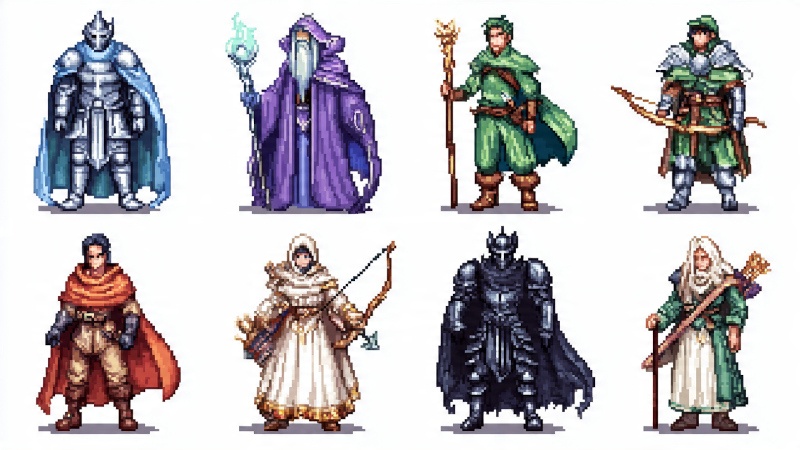
If you're generating a full RPG cast, visual consistency across characters is the hardest part. Two sprites from the same prompt structure can look like they belong in completely different games if you're not careful.
First, keep the art style and era wording identical across all your prompts. Don't use "SNES-style RPG aesthetic" for the knight and then "Super Famicom RPG feel" for the healer, even though they mean the same thing. The AI interprets slight phrasing differences as style cues.
Second, lock your palette language. If you say "restricted color palette" in one prompt, use that exact phrase in all of them. Switching between "minimal colors", "compact color range", and "limited tones" introduces subtle inconsistencies.
Third, match the perspective and pose wording. "Lateral perspective, standing idle pose" should stay the same across your entire party if you want them to look like they're from the same game.
The fastest approach: pick one prompt that gave you the best result, then use it as a template. Replace only the character description while keeping every other part word-for-word identical.
Buying vs. Generating Your Own Sprites
Generating your own character sprites and game sprites is the fastest way to explore ideas. You can run through dozens of variations in minutes without spending anything. But if you need production-ready assets with consistent animation frames across a full sprite sheet, marketplaces like itch.io (free to $15+ per pack) and prompt templates on PromptBase ($3 to $5 each) are worth considering.
Once a prompt produces something you like, that same structure works for every other character in your project. Copy a prompt, change the character details, and you've got a new sprite in seconds. That's the real value of understanding the formula behind these prompts rather than just grabbing individual images.