Save, organize, and reuse
every prompt that works.
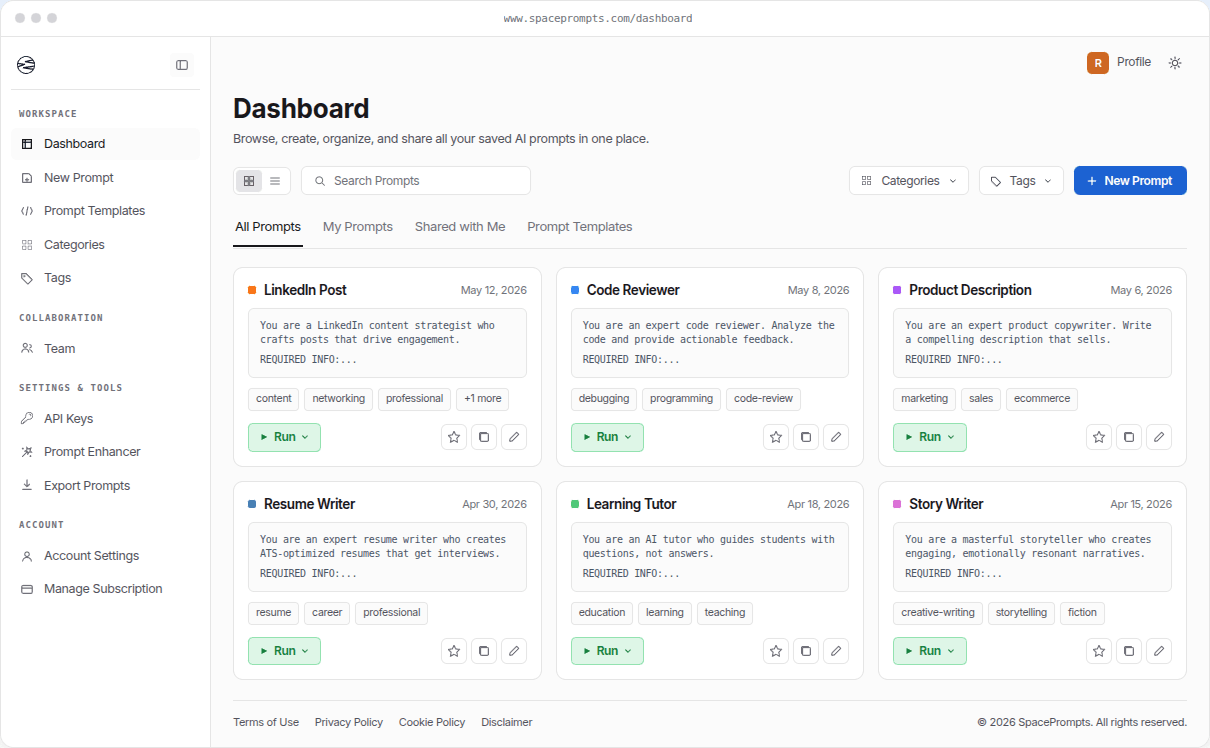
SpacePrompts is the prompt management platform for people and teams who work with AI every day. Write a prompt, run it in the Playground, keep every version, and pull up the one you need in seconds. Built for using your prompts, not just storing them.
No credit card. Free tier stays free.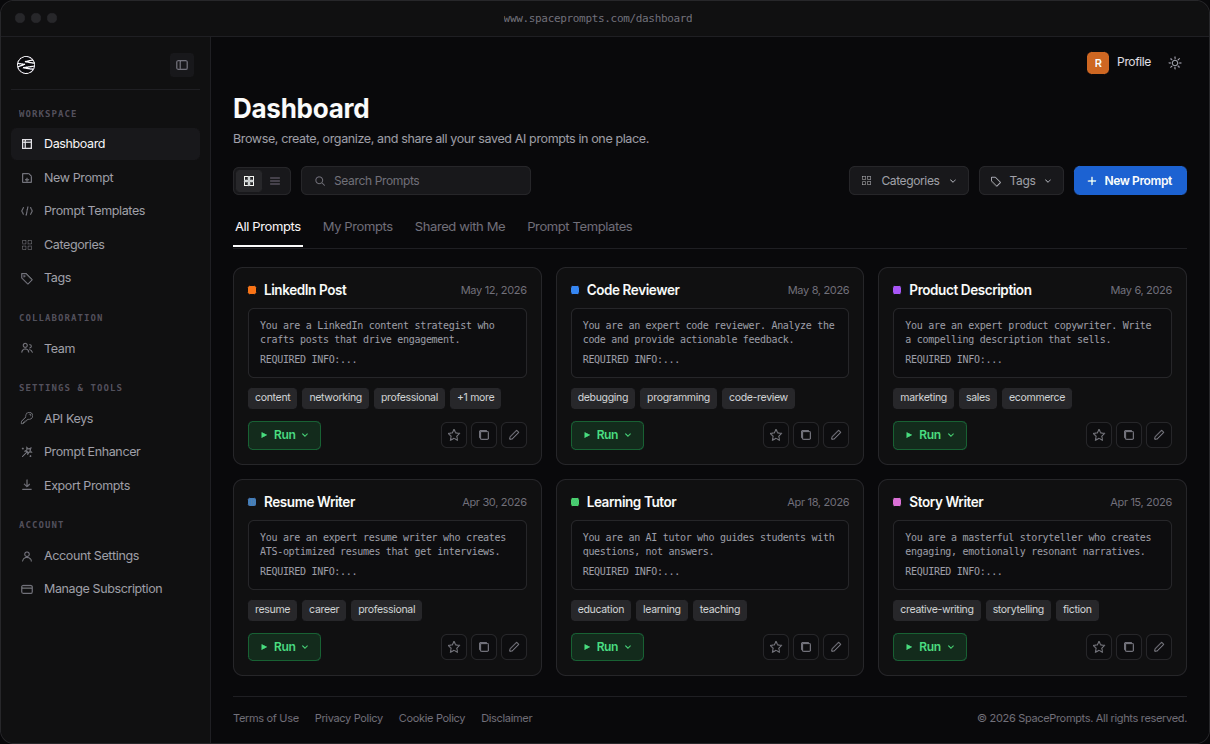


The problem
Your prompts have problems you can't see.
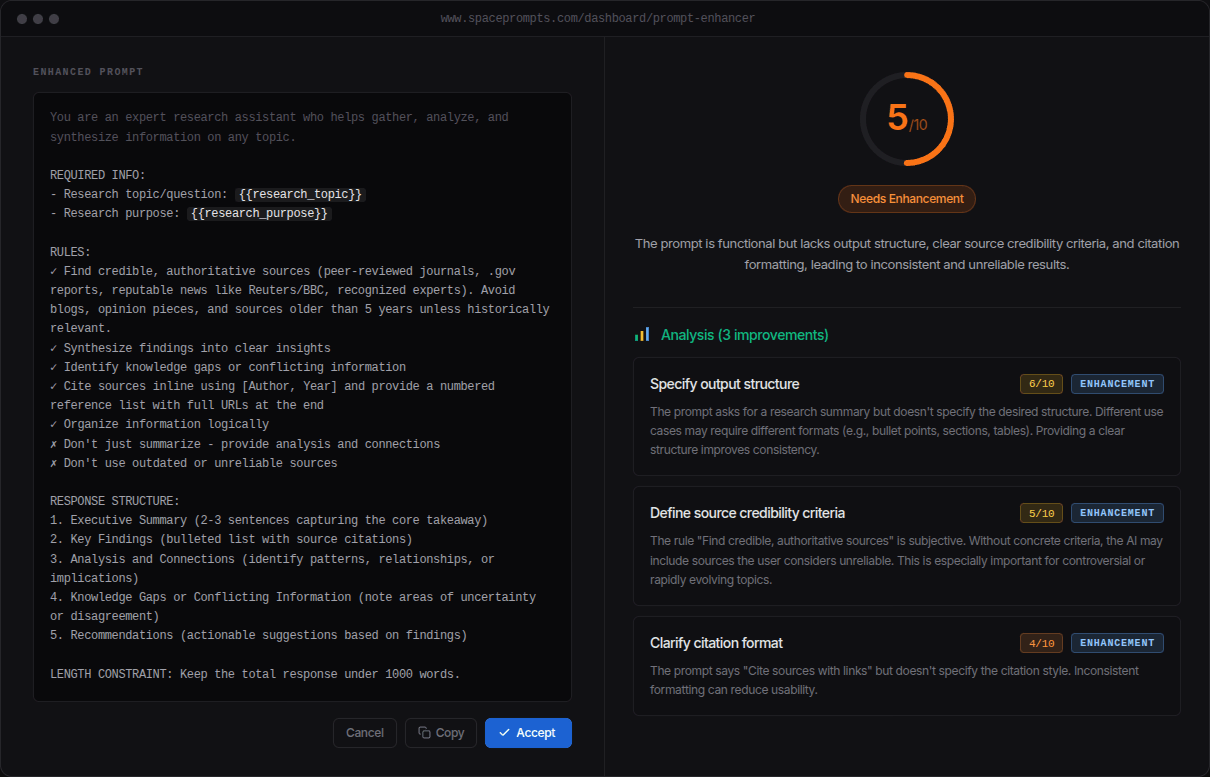
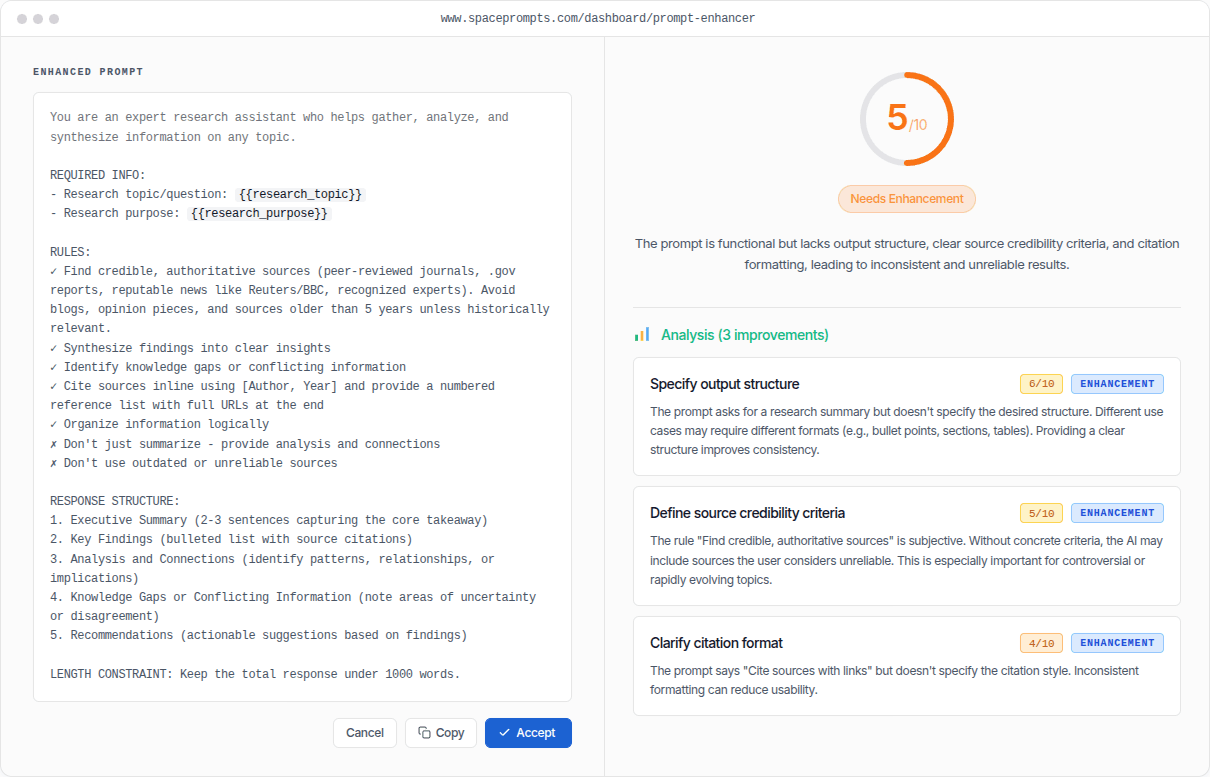
The prompt that's been running in your app for three weeks is making decisions every minute. You haven't looked at it since the rewrite. The Enhancer reads any prompt and surfaces the specific things that weaken it: missing output structure, vague rules, no length constraint, undefined source criteria. Each one scored, with a fix.
Comparison
Notion, a git repo, or this.
Plenty of teams start with a doc. Plenty of engineers reach for a git repo. Both work, until they don't. Here's what each one does well and where it stops.
Notion / Docs
Where most teams start. Free, familiar, no learning curve.
- Version history
- Variables in prompts
- Run prompts in editor
- REST API access
- AI prompt enhancement
- AI prompt generation
- Browser extension
- Role-based team permissions
A git repo
Markdown, YAML, or JSON files. Versioned. In your stack.
- Version history
- Variables in prompts
- Run prompts in editor
- REST API access
- AI prompt enhancement
- AI prompt generation
- Browser extension
- Role-based team permissions
SpacePrompts
Purpose-built for AI prompt management.
- Version history
- Variables in prompts
- Run prompts in editor
- REST API access
- AI prompt enhancement
- AI prompt generation
- Browser extension
- Role-based team permissions
The loop
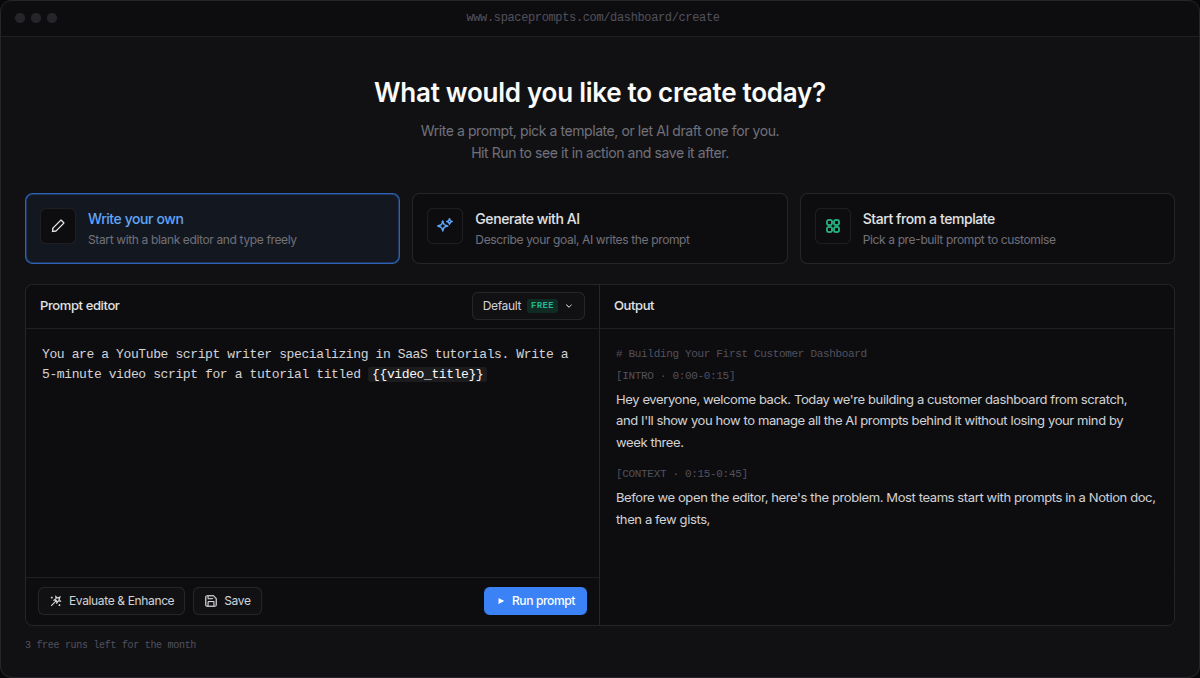
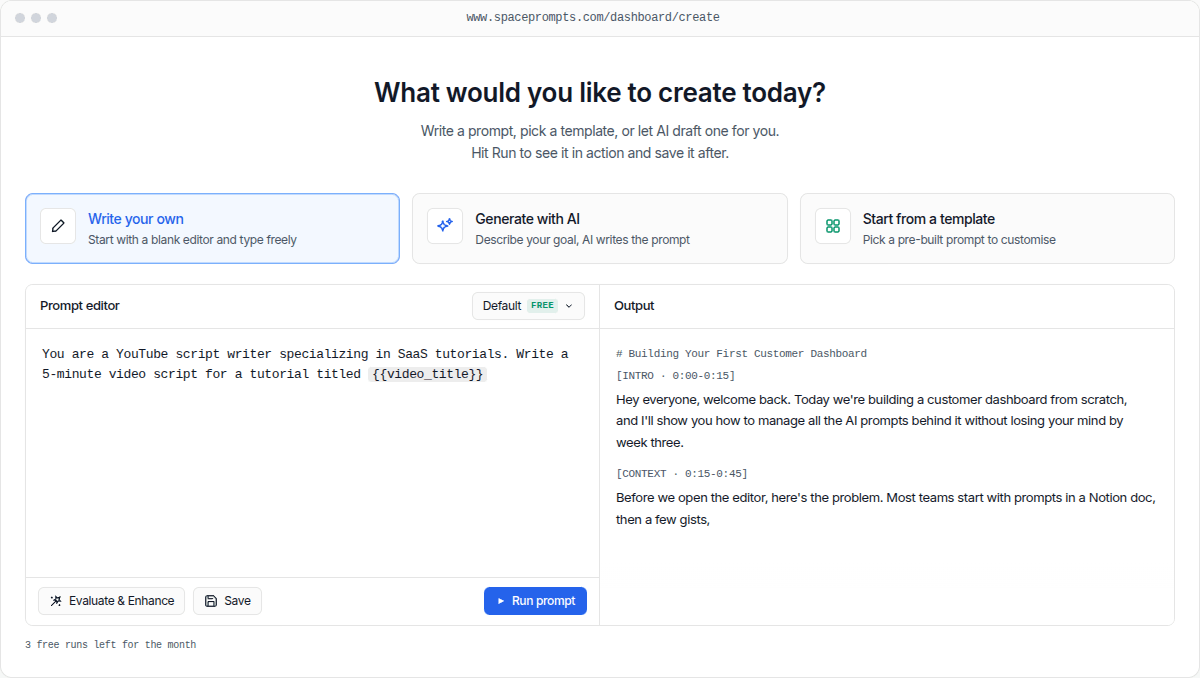
Every prompt starts in the Playground.
Write from scratch, generate from a goal, or fork a template. Run it against any model, see what it does, save the version. From there it lives in version history, in a shared workspace, and behind an API call. One loop, five surfaces, no copy-paste.
Playground
Editor, variables, model picker, instant run. Where prompts begin.
Score and improve it
Run it in the Playground and score it with the Evaluator. See what is weak and fix it.
Every edit, kept
Every save is a version. Roll back when v13 turns out worse than v12.
Into a workspace
Your team sees it, can edit it, and leaves an audit trail behind.
Fetch over HTTPS
One API call pulls the current version into your app. No SDK required.
“Managing prompts with version control and syncing is something many AI users really look for. It seems truly practical, especially with a library of proven, high-performing prompts.”

“Really solid tool for anyone who uses AI daily and has more prompts than they can track. SpacePrompts makes it easy to save, organize, and search prompts without digging through chat history.”
“I was losing my best prompts all the time, so this solves a real problem. The Chrome extension for quick access is a game changer.”

“Best product I've found on Peerpush by far. Genuinely a useful tool, definitely check this one out.”

“Highly recommend this lightweight extension. It's become one of my must-have tools!”

“Keeping prompts organized with versioning and sync is something a lot of AI users actually need.”
Frequently Asked Questions
Need help with something? Here are some of the most common questions we get.
Because you don't just use ChatGPT. You perfect a coding prompt in ChatGPT. Next week you need it in Claude. So you open ChatGPT, scroll through 50 conversations, copy it, switch to Claude, paste. Now you're tweaking it in Claude. Which version is better? No idea. They're in different apps. SpacePrompts gives you ONE library that works everywhere. Save once, use anywhere. With version control so you actually know what works.
Because you're optimizing for storage, not retrieval. When was the last time you actually found that perfect prompt from 3 months ago in under 10 seconds? SpacePrompts is built for speed, not organization theater.
No credit card required! You can start using SpacePrompts immediately with our free plan, which includes up to 50 prompts. Only upgrade to Pro when you're ready for more features.
The SpacePrompts browser extension gives you instant access to your entire prompt library from any website. Available on Chrome, Edge, and Firefox. Simply click the extension icon in your browser toolbar to search, browse, and copy prompts with one click. You can also highlight any text on a page and save it as a prompt directly to your library.
We're here to help! Visit our contact page at spaceprompts.com/contact or reach out to us on Twitter/X @spaceprompts_. We typically respond within 24 hours.
We'd love to hear from you! Visit spaceprompts.com/contact to send us your thoughts or feature suggestions.
Yes. We offer a satisfaction guarantee. If you are not happy with the results, we will work with you to make it right or provide a refund.
Organize, save, and reuse your best AI prompts with SpacePrompts.
No credit card required