AI prompt management
built for teams
The shared prompt library for collaborative AI teams. Organize, store, and share your team's generative AI prompts across ChatGPT, Claude, and Gemini, from small distributed teams to entire departments.
No credit card required
Shared dashboard
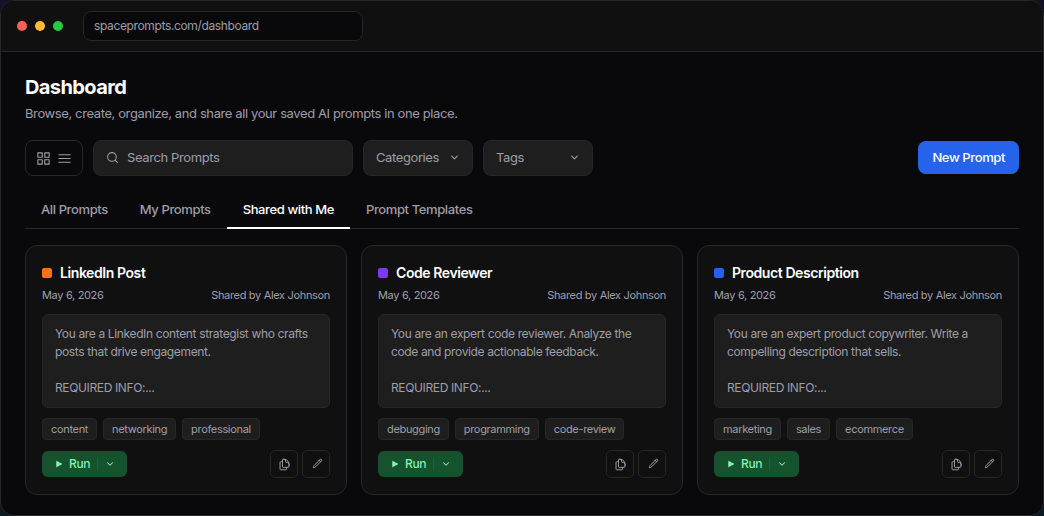
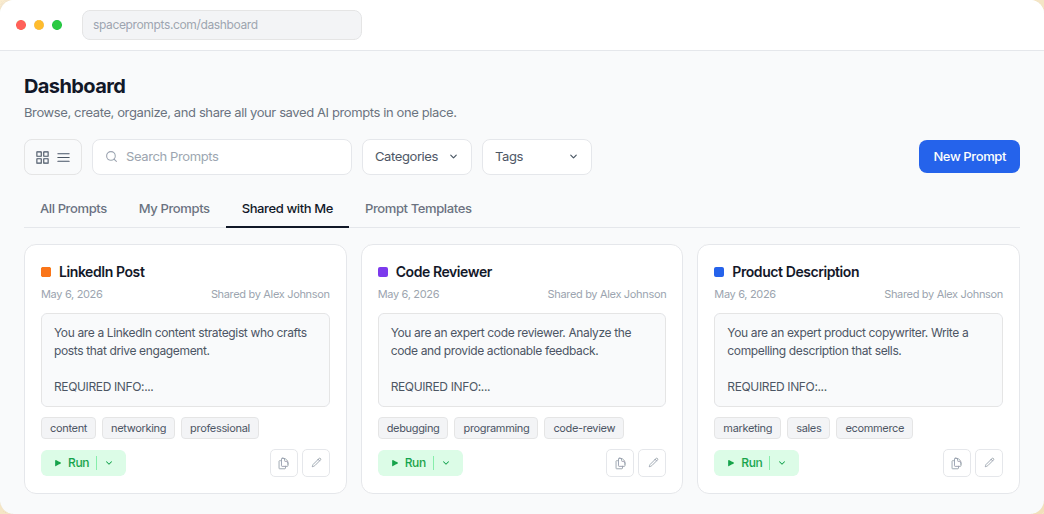
One workspace for your team's shared prompts
See team prompts, your own prompts, and prompts shared with you in a single searchable dashboard. Built for cross-team collaboration on AI workflows.
Built for collaboration
Prompt management software
built for how teams actually work
A shared prompt library for marketing teams, SaaS startups, agencies, and business departments collaborating on AI workflows.
Shared prompt library
One central place for every prompt your team has built. Organized by category, tagged, and searchable instantly from the dashboard.
Run prompts anywhere
Run prompts directly in the SpacePrompts Playground or copy them to ChatGPT, Claude, and Gemini. Any model your team uses.
AI prompt enhancer
One click makes any prompt cleaner and more effective before sharing it with the team. No more guessing if a prompt is good enough.
Browser extension
Access your team library inside ChatGPT, Claude, and any AI interface. Highlight text on any webpage to save it as a prompt instantly.
Role-based access
Invite teammates as Owners, Editors, or Viewers. Control who can create, edit, or just use prompts from the shared library.
Version history
Track changes to every prompt over time. Roll back to any previous version and see exactly what changed and when.
Team management
Invite your team
in seconds
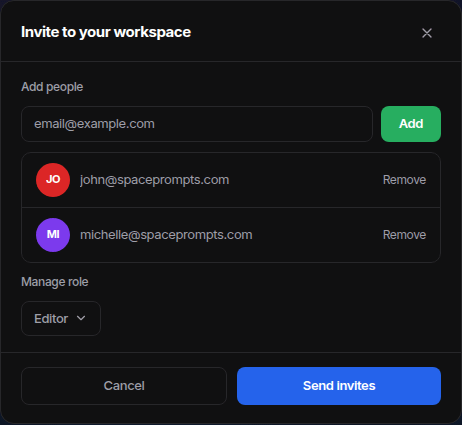
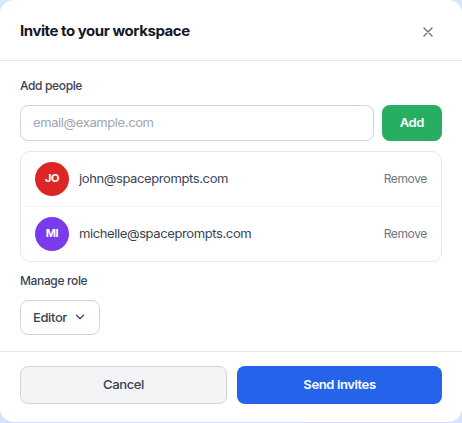
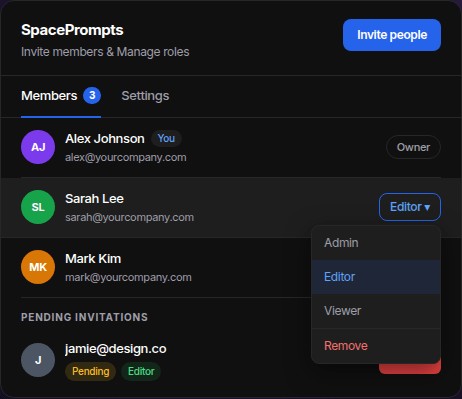
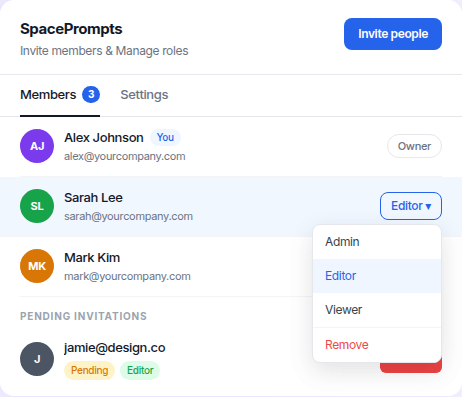
Add members by email, assign roles, and get everyone up and running without any setup friction. No app download needed.
- ✓ Invite by email and they're in instantly
- ✓ Assign Owner, Editor, or Viewer roles upfront
- ✓ Add multiple people in one go
- ✓ Track pending invitations and cancel anytime
Visibility & control
Always know who's
on your team
See who's in, who's pending, and what role everyone has, all from one clean view. No chasing people down, no guesswork.
- ✓ See all members, roles, and pending invites in one view
- ✓ Change a member's role anytime without re-inviting
- ✓ Cancel pending invitations with one click
- ✓ Remove members and revoke access instantly
How it works
Up and running in minutes
No complicated setup, no training required. Built for collaborative teams of any size, from SaaS startups to enterprise.
Create your workspace
Sign up and set up your team workspace. Give it your brand name and you're ready.
Invite your team
Add teammates by email. Assign roles (Owner, Editor, or Viewer) in one click.
Build your library
Save your best prompts, enhance them with AI, and share them directly with your teammates.
Use anywhere
Access shared prompts from the dashboard, Playground, or browser extension, right where you work.
“Managing prompts with version control and syncing is something many AI users really look for. It seems truly practical, especially with a library of proven, high-performing prompts.”

“Really solid tool for anyone who uses AI daily and has more prompts than they can track. SpacePrompts makes it easy to save, organize, and search prompts without digging through chat history.”
“I was losing my best prompts all the time, so this solves a real problem. The Chrome extension for quick access is a game changer.”

“Best product I've found on Peerpush by far. Genuinely a useful tool, definitely check this one out.”

“Highly recommend this lightweight extension. It's become one of my must-have tools!”

“Keeping prompts organized with versioning and sync is something a lot of AI users actually need.”
Frequently Asked Questions
Need help with something? Here are some of the most common questions we get.
SpacePrompts is built for teams managing AI prompts at scale: a shared library, role-based access, version history, and one-click runs in ChatGPT, Claude, or Gemini. Free for up to 50 prompts.
Save prompts to a shared workspace, tag them by category, and assign roles. Every teammate gets instant search across the full library, with version history so nothing gets lost.
Yes. Prompts in SpacePrompts work with any AI model. Run them in the Playground, copy them into ChatGPT or Claude in one click, or pull them up with the browser extension.
Especially well. Marketing, content, and agency teams can save and share prompts without engineering help, and the AI prompt enhancer cleans up rough prompts in one click.
Most start with prompts scattered across Notion, Google Docs, and chat history. SpacePrompts puts them in one place, with role-based access and per-seat pricing that scales as the team grows.
SpacePrompts is a top-rated AI prompt storage and management system, rated 5.0 by teams on the Chrome Web Store. Marketing teams store, organize, and share their best prompts in one searchable library so everyone reuses what works.
Yes. SpacePrompts is an AI productivity platform built around a shared prompt library, so distributed teams can build, share, and run prompts across any generative AI tool. Role-based access and version history come built in.
Get everyone on the same page, using the same prompts, in under five minutes.
No credit card required