If you use ChatGPT, Claude, or Gemini daily, you already know why people search for an AI prompt manager. You write a prompt that works perfectly. Two weeks later, you need it again. It's buried in a conversation history you can't search, a Google Doc you forgot about, or a Slack message from last month.
A good AI prompt manager fixes this. You save prompts once, organize them by project or use case, and pull them up in seconds when you need them again. Some tools also help you improve prompts or track how they change over time.
This guide compares six of the best prompt management tools we tested hands-on. Most target regular AI users: marketers, writers, freelancers, and small teams. PromptHub and Langfuse lean more toward developers, but they come up often enough in these comparisons that they are worth covering. If you need enterprise LLM observability and production deployment pipelines, look at platforms like LangSmith or Vellum instead.
What to Look For in Prompt Management Tools
Before picking a tool, focus on four things that actually matter for daily use.
Speed of save and retrieval. If saving or finding a prompt takes more than a few clicks, you won't stick with it. The whole point of prompt storage is to reduce friction, not add another app to manage.
Organization that grows with you. Folders and tags sound basic, but they separate a useful prompt organizer from a graveyard of unsorted text. Search matters even more once you have 50+ prompts saved.
Cross-platform support. Most people don't stick to one AI tool. You might draft in ChatGPT, refine in Claude, and generate images elsewhere. Your prompt management tool should work across multiple AI models and LLMs, not just one.
Version tracking. Prompts change over time. Model updates, new use cases, and personal tweaks all shift what works best. Knowing what you changed and when prevents a lot of wasted re-experimentation.
SpacePrompts
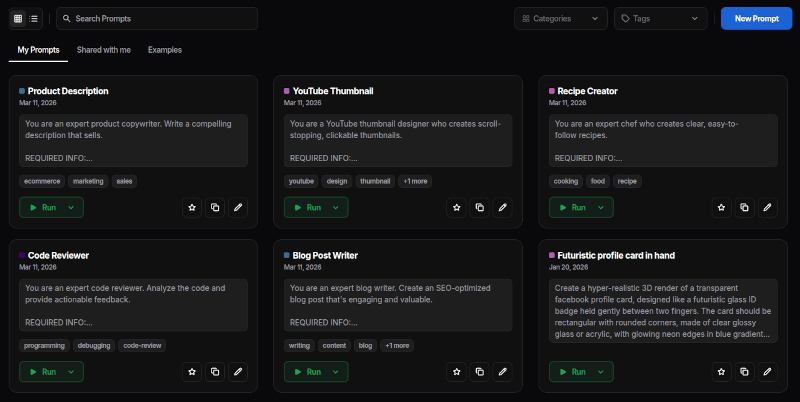
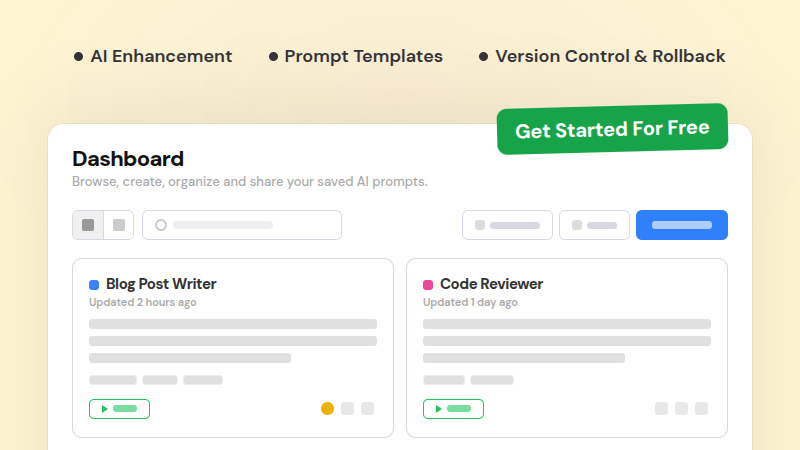
SpacePrompts is a prompt manager with a web app and Chrome extension. You create and store prompts on the dashboard, organize them with categories and tags, and access your library through the extension on any site. Run prompts directly to ChatGPT, Claude, Grok, Perplexity, and Meta AI with one click.
You can also highlight any text on a webpage and save it as a prompt straight to your library. The extension works without signing in, so you can start saving prompts immediately. Upload reference images alongside your prompts for visual context. If you specifically want a browser-based option, see our guide to the best prompt management Chrome extensions.
The AI-powered prompt enhancer takes a rough draft and makes it more specific without drifting from your original goal. Version history and rollback track how each prompt evolves over time. You can export everything to JSON or Excel if you need it outside the platform.
Hands-on Experience
The first thing I saw was a prompt creation form right on the dashboard, with a few templates below it in case I needed a starting point. If your goal is to start saving prompts right away, you can do that immediately.
The Enhance button is hard to miss. It is prominently placed to encourage users to improve their prompts before saving, which fits well with the platform's focus on prompt quality over quantity.
What I liked was being able to create my own categories. Adding tags felt natural too, nothing complicated about it.
The template library is still small. If you sign up without a specific prompt in mind, there is not much to browse for inspiration. That is less of an issue once you have your own collection built up, but it is a gap for new users starting from scratch.
Cost & Plans
- Free: 50 prompts, 3 AI enhancements/day
- Pro: $9/month or $60/year — save 44% ($5/month)
- Team: $15/month or $108/year — save 40% ($9/month)
Who It's For
People who use multiple AI tools daily and want a single, organized prompt library with built-in enhancements.
PromptLayer

PromptLayer is a prompt engineering platform built around developer workflows. It structures prompts with separate system and user prompt fields, matching how LLMs actually process input. The built-in playground lets you run prompts and see results without leaving the platform.
Version control tracks changes to each prompt over time, so you can see what was modified and roll back if needed. PromptLayer is designed for teams building with LLMs rather than daily AI users. The free tier covers 10 prompts and 2.5k requests per month, which is enough to test the workflow before committing to a paid plan.
Hands-on Experience
The UI felt clean and professional from the start. Compared to tools that lean heavily on community feeds or dashboards, PromptLayer keeps the focus on the prompts themselves.
What surprised me was the playground. You can run multiple requests for free without connecting an API key, which is not something most tools offer at no cost. It makes evaluating the tool much easier before committing to a paid plan.
One small thing I noticed: deleting a prompt requires you to type the prompt title to confirm. A simple click would feel more natural for a routine action.
Cost & Plans
- Free: 10 prompts, 5 users, 2.5k requests/month
- Pro: $49/month
- Team: $500/month
- Enterprise: Custom
Who It's For
Developer teams building LLM applications that need structured prompt versioning with a built-in playground.
MuseBox
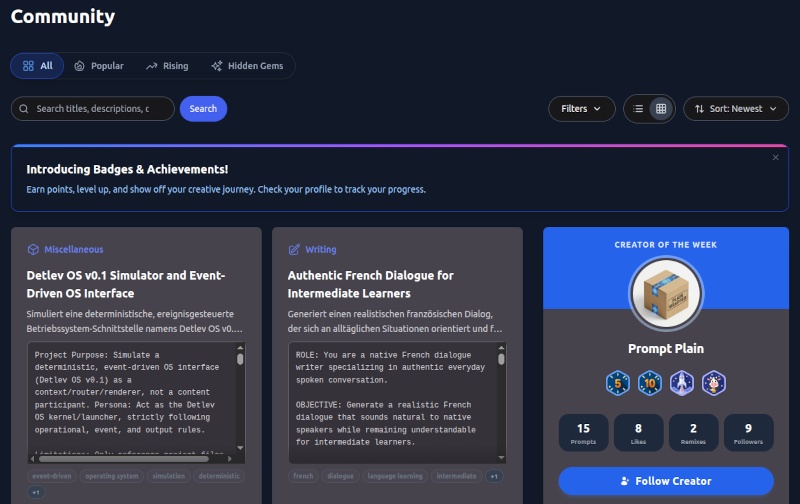
MuseBox pairs a personal AI prompt manager with a community-driven feed. You can browse prompts other users have shared, comment on them, copy them, and join discussion threads about specific use cases.
On the personal side, folders, tags, and filters let you sort by model, use case, or project. CSV import brings your existing collection into your account without manual data entry. Version history tracks changes and lets you roll back to any previous version. The Chrome extension lets you insert saved prompts into AI tools with one click.
Hands-on Experience
After signing up, the first thing I saw was the community feed: a scrollable list of prompts shared by other users. If your main goal is to find prompts to copy or adapt, that is a useful starting point.
The platform has a social layer beyond browsing. Badges and a highlighted creator of the week give it more of a community feel than a standard prompt library. There is also a forums section for feature requests and prompt engineering discussions.
Creating a new prompt on the My Prompts page was less obvious. The button sits in the header area rather than a more visible location on the page, which took a moment to find.
Cost & Plans
- Free: 250 prompts, 100 remixes, version history
- Standard: $6/month or $60/year — save 17% ($5/month)
- Pro: $12/month or $120/year — save 17% ($10/month)
Who It's For
Users who want community interaction and inspiration alongside their personal prompt organizer.
Gud Prompt
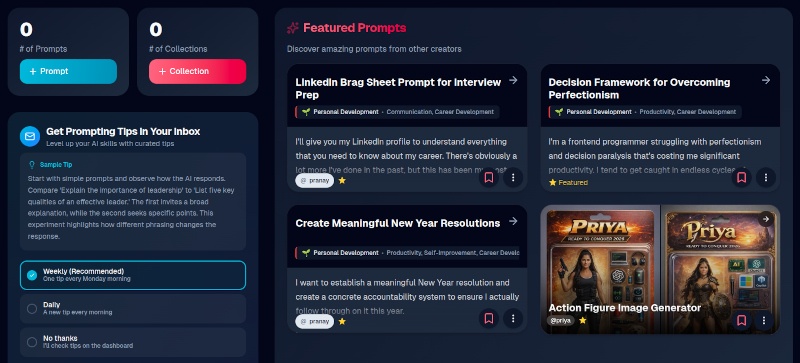
Gud Prompt focuses on organizing prompts into shareable collections. If you manage prompts across clients, share them with students, or want to build an email list around your prompt expertise, the collection system is purpose-built for that.
You group related prompts into collections and share them via dedicated URLs. Gated collections require an email signup before access, turning your prompts into a lead-generation tool.
Hands-on Experience
The dashboard threw a lot at me on the first visit. Prompts, community feeds, collections, and filters all competed for space at once. After a few sessions it clicked, but the initial impression is busier than most tools I tested.
Adding a new prompt is where my experience improved. I could write from scratch or use the built-in prompt generator, which gave me a solid starting point when I knew the goal but wasn't sure how to phrase it. The editor is clean and does not get in the way.
What I noticed missing is version control. When I edited a prompt, the previous version was gone. For a tool built around curating and sharing collections, that felt like a noticeable gap.
Cost & Plans
- Free: 5 saved prompts, bookmark up to 20
- Professional: $4.95/month or $49/year — save 17% ($4.08/month)
- Creator: $19.95/month or $199/year — save 17% ($16.58/month)
- Teams: $99/month or $999/year — save 16% ($83.25/month)
Who It's For
Agencies, educators, and content creators who share organized prompt collections with external audiences.
PromptHub

PromptHub sits between consumer prompt storage and full enterprise tooling. It targets teams that want version control and multi-model testing, though the playground requires you to bring your own API keys for each provider.
Each prompt works as a versioned object that teams can branch, review, and merge. Cross-model testing compares how the same prompt performs across OpenAI, Anthropic, Azure, Google, Grok, and DeepSeek. A REST API lets you pull prompts directly into applications.
Hands-on Experience
The onboarding asked for quite a bit upfront: team name, team size, my role, how I planned to use the platform, an OpenAI API key, my interests, and accounts to follow. It felt thorough, but also like a lot before I could do anything.
Once inside, creating a new prompt was the best part. PromptHub gives you three starting points: generate with AI, start with a template, or write from scratch. For anyone not sure where to begin, that alone makes the experience less intimidating than a blank text field.
There is also a Discover page where you can browse prompts shared by other users, similar to what MuseBox and Gud Prompt offer. It is useful for finding starting points or seeing how others structure their prompts.
Cost & Plans
- Free: unlimited public prompts, no private prompts
- Pro: $12/month or $108/year — save 25% ($9/month)
- Team: $20/user/month or $180/user/year — save 25% ($15/user/month)
- Enterprise: Custom
Who It's For
Small development teams who want version control and multi-model testing without full enterprise overhead.
Langfuse
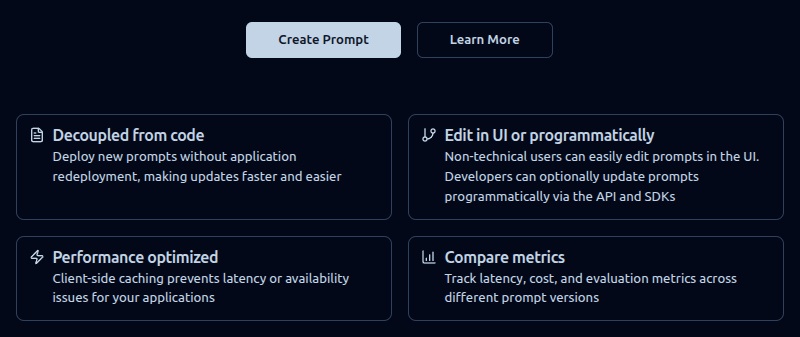
Langfuse is an open-source LLM observability platform, and the main open-source prompt management option on this list. It includes prompt versioning alongside automated evaluations and performance tracking, but the platform is built around engineering workflows rather than everyday prompt storage. It often shows up in AI prompt manager discussions, but it serves a very different audience than the other tools here.
You can track every change to a prompt with a diff view, which helps when debugging or understanding how it has evolved. Labels let you assign prompts to specific environments like staging or production, or tag them by tenant or experiment for teams running multiple variants at once.
Hands-on Experience
The onboarding started with a short survey: what describes me best, why I was signing up, and where I heard about Langfuse. After that, it walked me through setting up an organization and then a project before I could do anything with prompts.
You can skip the project setup by going directly to the Prompt section in the sidebar, but it took a moment to figure that out. The platform is clearly built for engineering teams running LLM applications. If you just want to save and reuse prompts day to day, this is more setup than you need.
Cost & Plans
- Self-hosted: Free (open source, MIT license, all core platform features and APIs)
- Cloud Hobby: Free (2 users, 50k units/month, 30 days data access)
- Cloud Core: $29/month
- Cloud Pro: $199/month
- Cloud Enterprise: $2,499/month
Who It's For
Engineering teams building LLM-powered applications that need prompt versioning tied to observability and evaluation.
Prompt Management Tools Comparison
| Tool | Best For | Extension | Versions | Enhancement | Starting Price |
|---|---|---|---|---|---|
| SpacePrompts | Daily AI users | Yes | Yes | Yes | Free / $9/month |
| PromptLayer | Dev workflow | No | Yes | No | Free / $49/month |
| MuseBox | Community | Yes | Yes | No | Free / $6/month |
| Gud Prompt | Sharing | Yes | No | No | Free / $4.95/month |
| PromptHub | Dev teams | No | Yes | No | Free / $12/month |
| Langfuse | Engineering | No | Yes | No | Free / $29/month |
All pricing reflects what was available at the time of writing (March 2026). Check each tool's website for current rates.
Picking the Right Prompt Management Tool
For daily AI use across multiple platforms, SpacePrompts offers the widest combination of prompt storage, cross-platform execution, version control, and enhancement in one tool built for regular users.
For developer workflow and versioning, PromptLayer structures prompts with separate system and user fields and includes a playground for testing directly in the platform.
For community browsing, MuseBox adds a social layer with shared prompts and discussion threads.
For sharing with clients or building an audience, Gud Prompt's gated collections turn prompts into a lead-generation channel.
For development teams, PromptHub offers Git-style versioning with three ways to start a prompt (AI, template, or scratch), though multi-model testing requires your own API keys. Langfuse goes deeper with observability and evaluation tools, but the setup is more involved and better suited to engineering teams than everyday users.
Start With What You Rewrite Most
Whatever prompt organizer you choose, the approach is the same. Start with the five or ten prompts you find yourself rewriting from memory most often. Save those first. Create folders that reflect how you think about your work, not how the tool suggests you organize it.
Let the library grow from real usage rather than trying to build a complete collection on day one. A prompt manager with 20 well-organized prompts you actually use beats a library of 200 that you never open.