It started with a simple automation project at my main job. We were scraping data from the web and needed to validate and process it before publishing. Nothing too fancy, just API calls to ChatGPT to handle the heavy lifting. Write a prompt, make the API call, and get results. Simple enough.
Then the prompts began to multiply.
What started as a handful of prompts quickly grew to dozens. Each one is fine-tuned for a specific validation task, and each is slightly different from the last. The reality is that prompts are easy to forget. You spend an hour crafting the perfect prompt for a unique edge case, and two weeks later, you can't recall exactly what you wrote or why it worked so well.
That's when I knew I had a problem worth solving.
When Basic Isn't Enough
I looked for tools to manage this issue, but there weren't many. The ones that existed treated all prompts the same, just text boxes.
That's why SpacePrompts was built with three distinct prompt types: Basic for everyday use, Advanced for fine-tuned control, and API format for when you need the full configuration. Real-world AI work is not one-size-fits-all.
The Team Problem
One thing that really annoyed me was sharing prompts with my team.
You craft a beautiful, detailed prompt that’s 500 words long and full of specific instructions, examples, and edge cases. When it’s time to share it with a colleague, what do you do? You copy and paste it into Slack, and it looks terrible. The formatting breaks, it's too long, and people's eyes glaze over.
We were literally DMing each other walls of text. It worked, but it felt ridiculous. Like we were solving a 2025 problem with 1999 tools.
There had to be a better way to share prompts, one that preserved the formatting, looked clean, and actually felt professional. So we built sharing right into SpacePrompts. Now you just send a link.
The Social Media Wake-Up Call

Around the same time, I started noticing something on Twitter and Reddit. Every few weeks, some AI-generated image would go viral. Stunning stuff. And every single time, the comments were full of people asking the same questions:
- "How do you not lose your good prompts?"
- "Where are you storing these?"
- "I keep forgetting the prompts that worked well."
That was when I realized this wasn't just my problem. This wasn't just an API developer problem. Anyone working with AI tools was running into this. Designers generating images, writers experimenting with ChatGPT, marketers crafting social media posts. Everyone was drowning in prompts with no good way to organize them.
That's why we added image uploads to SpacePrompts. Because if you're generating visual content, you need to see which prompt created each result. Not just save the text, but keep the reference image right there with it.
Prompts Are Knowledge
The more I thought about it, the more I realized prompts are becoming a new form of knowledge.
Think about it. People spend hours crafting the perfect prompt. They experiment, iterate, and refine. They figure out exactly how to phrase something to get consistent results. That's valuable. That's expertise.
But where does it go? Buried in a chat history. Lost in a Google Doc. Forgotten in a notes app.
Some of the best prompts I've seen were shared once in a Reddit comment and then disappeared forever. Nobody could find them again. All that experimentation and expertise, just gone.
We're entering an age where prompt engineering is becoming a real skill. And like any skill, the knowledge should be preserved and shared. That's the bigger vision behind SpacePrompts—creating a place where people can save their best work and share it with others who might benefit from it.
Your well-crafted prompts shouldn't die in obscurity. They should get to see the light of day.
The Convenience Factor
I tried using existing tools. Really, I did.
I put prompts in Notion. Created elaborate spreadsheets. Even tried a few dedicated apps. But here's what kept happening: I'd need a prompt right now, and I'd have to open a browser, navigate to Notion, find the right page, scroll through my database, copy the prompt, switch back to ChatGPT, paste it in...
Five steps when I needed one.
We're in a fast-paced world now. Everything's immediate. If I have to jump through hoops to access my own prompts, I'm just not going to use the tool. I'll wing it instead. And winging it means inconsistent results and wasted time.
That's why we built the Chrome extension. It syncs automatically with the web app. When you're on ChatGPT or any AI tool, your prompts are right there. One click. That's it. Maximum convenience.
Because a tool that's inconvenient to use is a tool you'll stop using.
What We Built
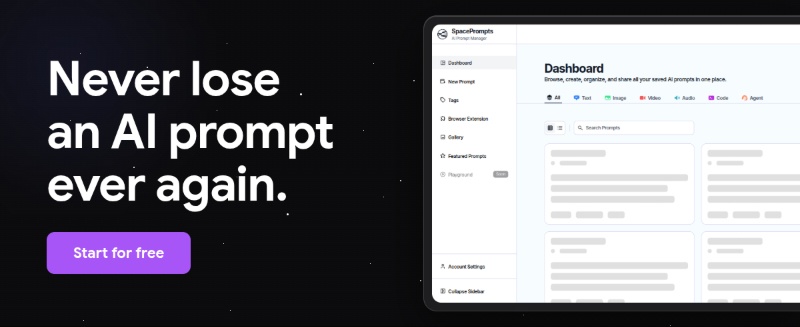
So that's why SpacePrompts exists. It started as a solution to my own problem of managing prompts for API automation, but it grew into something bigger when I realized this was a problem lots of people were facing.
We built it to handle the technical complexity of real API work. We built it to make sharing with teams actually pleasant. We built it because we saw people on social media struggling with the same issues. We built it because we believe prompts are knowledge worth preserving. And we built it to be fast and convenient, because anything else just wouldn't get used.
We started building this in May. Not because we thought it would make us rich. But because we had a genuine problem, and we couldn't find a good solution. Sometimes that's the best reason to build something.
If you've ever felt like your prompts are scattered, forgotten, or impossible to share, then yes, I built this for you.